Resources

Resources

A starting point for some of the standards, legal context, organizations, and people I come back to in accessibility work.

Still growing…

This page is still under construction. I’m building it into a thoughtful collection of standards, legal references, organizations, and people doing work worth knowing about in accessibility and disability communities. There’s plenty here to get started.

Digital accessibility is global. WCAG gives much of the field a shared technical foundation, and many laws, policies, and standards reference or build on WCAG 2.x, though requirements still vary across countries and jurisdictions.

Standards & guidance

Web Content Accessibility Guidelines (WCAG) 2.2

The Web Content Accessibility Guidelines are the best-known international technical standard for making web content more accessible to people with disabilities. WCAG also serves as a foundation for accessibility standards and policies in many parts of the world.

Law, policy & legal context

Digital accessibility requirements vary by jurisdiction. These resources are a starting point for understanding the legal and policy landscape, not a comprehensive list or legal advice.

Legal context & updates

Lainey Feingold

Accessibility attorney Lainey Feingold has been writing about disability rights and digital accessibility law for years. Her legal updates cover settlements, policy, court cases, and other developments in the U.S. and around the world, usually in language that doesn’t require a law degree to follow.

United States

  • ADA Title II: Web and mobile accessibility

    Title II prohibits disability discrimination by state and local governments. The Department of Justice has also established specific accessibility requirements for covered web content and mobile apps.

  • ADA Title III

    Title III applies to private businesses and other places of public accommodation. Digital accessibility under Title III has developed through the ADA itself, enforcement, lawsuits, settlements, and guidance rather than through the same web-specific technical rule that now exists under Title II.

  • Section 508

    Section 508 covers the accessibility of information and communication technology developed, purchased, maintained, or used by U.S. federal agencies.

European Union

  • European Accessibility Act (EAA)

    The European Accessibility Act sets accessibility requirements for a range of products and services across the European Union, including e-commerce, banking, transportation services, e-books, and consumer technology.

  • Web Accessibility Directive

    The Web Accessibility Directive focuses on the accessibility of websites and mobile apps provided by public-sector organizations across the European Union.

  • EN 301 549

    EN 301 549 is the European accessibility standard for information and communication technology. Its web requirements draw heavily from WCAG, but its scope is broader and also includes areas such as software, documents, hardware, and other ICT.

Organizations & community

  • American Foundation for the Blind

    The American Foundation for the Blind works to expand opportunity for people who are blind or have low vision through research, advocacy, inclusive technology, thought leadership, and collaboration across sectors.

  • Teach Access

    Teach Access works to make accessibility and disability inclusion a more routine part of education and professional practice. Its Fundamental Concepts & Skills Framework lays out core accessibility knowledge, skills, and learning goals that can be incorporated across disciplines.

  • BuildABLE Academy

    BuildABLE Academy creates hands-on skilled-trades education and employment pathways for neurodivergent learners. Their work is built around recognizing individual strengths, developing practical skills, and creating meaningful paths into employment.

  • Autism Tennessee

    Autism Tennessee supports Autistic people, families, and allies through education, advocacy, resources, community programs, and connection across Middle Tennessee.

Web accessibility for designers

Keyboard: focus the infographic, then use arrow keys or Page Up and Page Down to scroll.

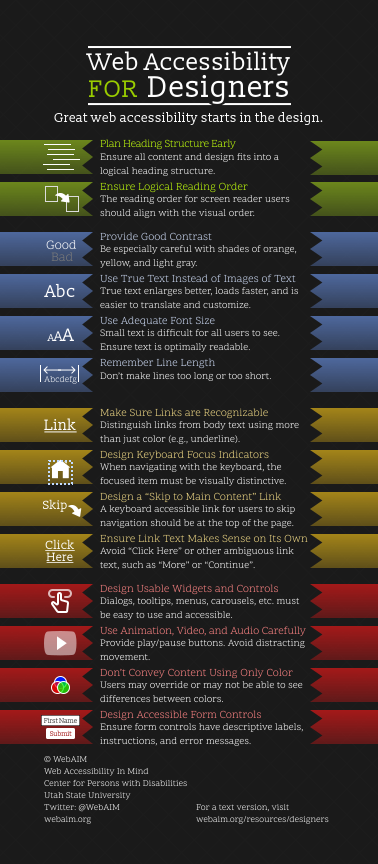
WebAIM Web Accessibility for Designers infographic.

Text version: Web accessibility for designers

Plan Heading Structure Early

Ensure all content and design fits into a logical heading structure.

Ensure Logical Reading Order

The reading order for screen reader users should align with the visual order.

Provide Good Contrast

Be especially careful with shades of orange, yellow, and light gray. Check your contrast levels with our color contrast checker.

Use True Text Instead of Images of Text

True text enlarges better, loads faster, and is easier to translate and customize.

Use Adequate Font Size

Small text is difficult for all users to see. Ensure text is optimally readable.

Remember Line Length

Don’t make lines too long or too short.

Make Sure Links are Recognizable

Distinguish links from body text using more than just color (e.g., underline).

Design Keyboard Focus Indicators

When navigating with the keyboard, the focused item must be visually distinctive.

Design a "Skip to Main Content" Link

A keyboard accessible link for users to skip navigation should be at the top of the page.

Ensure Link Text Makes Sense on Its Own

Avoid "Click Here" or other ambiguous link text such as "More" or "Continue".

Design Usable Widgets and Controls

Dialogs, tooltips, menus, carousels, etc. must be easy to use and accessible.

Use Animation, Video, and Audio Carefully

Provide play/pause buttons. Avoid distracting movement.

Don’t Convey Content Using Only Color

Users may override or may not be able to see differences between colors.

Design Accessible Form Controls

Ensure form controls have descriptive labels, instructions, and error messages.

Text equivalent provided by WebAIM.